AI Ebook to Audio Converter
How to install AI Ebook to Audio Converter 1.1.30?
1. Download the ZIP file.
2. Install the Split APKs Installer application
3. Open the application and click on "Install APKs".
4. Find the folder where the downloaded ZIP is located and select it.
5. Follow the steps that appear on the screen.
Description
AI Ebook to Audio Converter
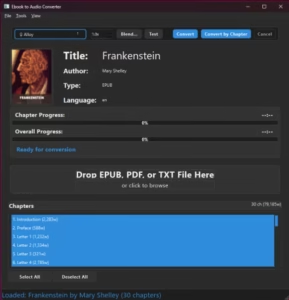
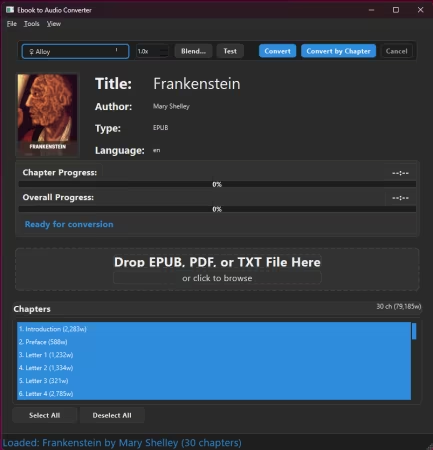
AI Ebook to Audio Converter transforms your ebooks into high-quality audiobooks using advanced AI voice technology. Convert EPUB, PDF, and TXT files into MP3 audiobooks with natural-sounding voices, all while working completely offline with no subscription fees.
Advanced Voice Technology
- High-quality AI voice synthesis with natural-sounding results
- Voice blending system – blend multiple voices together for custom sound
- Save and load voice presets for consistent results
- Test voice samples before conversion
Comprehensive Format Support
- EPUB files (most common ebook format)
- PDF documents
- Plain text (TXT) files
Complete Control Over Conversion
- Convert entire books or only selected chapters
- Adjust reading speed to your preference
- Real-time progress tracking with time estimates
- Create a single audiobook file or separate chapter files
Privacy-Focused Design
- Works 100% offline – no internet connection required
- No data collection or tracking
- All processing happens locally on your device
- No subscription fees or hidden costs
User-Friendly Experience
- Intuitive interface with dark/light theme support
- Drag-and-drop file loading
- Clear progress indicators
- Detailed book information display
Transform your reading experience today – convert your favorite ebooks into audiobooks you can listen to anywhere!
Release Notes
- Release notes were unavailable when this listing was updated.
System Requirements
Memory: 4 GB (Minimum), 8 GB (Recommended)
OS: Windows 10 version 17763.0 or higher (64-bit)
Images