Classroom Spy Pro
5.7.8
Download link - ddownload
5
How to install Classroom Spy Pro 5.7.8?
1. Download the ZIP file.
2. Install the Split APKs Installer application
3. Open the application and click on "Install APKs".
4. Find the folder where the downloaded ZIP is located and select it.
5. Follow the steps that appear on the screen.
Report this app
Description
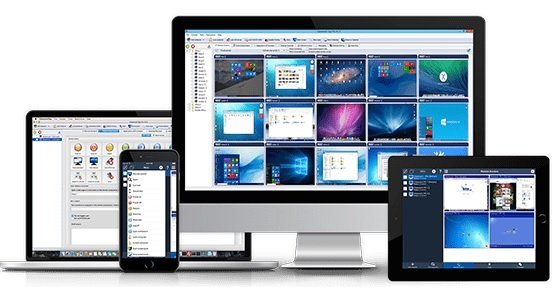
Classroom Spy Pro
Simple and effective classroom management software. Put classroom management to a higher level. This software lets you see what everyone’s doing – without leaving your desk. You can monitor the activity of all student computers in your classroom remotely. Plus, you can share your screen with your students’ record activity, control computers, make demos, limit the internet usage, block applications and much more.
Images