Emurasoft EmEditor Professional (x64) Multilingual
75.2 MB
26.2.9
Windows 11/10/8.1/Server 2012 R2 or later (64-bit only) Windows 7 is not supported.
9744
Description
Emurasoft EmEditor Professional
EmEditor Professional – professional version of the powerful text editor for programmers, Web developers and ordinary users with the illumination of syntax and Unicode support. Editor features such as search and replace in files using regular expressions, auto-detection coding, highlighting the links and email addresses, block selection mode, configure the button bar, menu, font and color elements. For each language, you can create a separate configuration. The program also has the support of powerful macros written in javascript or VBScript, allowing you to capture virtually any action, used often or occasionally.
This editor is an ideal tool for editing HTML, PHP, JSP and XML files. When you specify a web browser as an external application, you will be able to view HTML files during editing. Supports syntax highlighting ASP, C, CSS, HTML, Java, javascript, JSP, Pascal (Delphi), Perl, Python, PHP, SQL, VBScript and other programming languages, function Drag and Drop, opening files size up to 248 GB the possibility of connecting additional external applications and plug-ins. In addition, the program allows to work with macros written in javascript or VBScript, and based on the Windows Scripting Host (WSH) engine, allows you to automate virtually any action. Adjustable backlight HTML and scripting languages makes it easy to detect spelling errors and typos.
Features
– Support for file sizes up to 248 GB
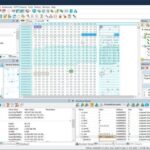
– Edit binary files
– Optimized search and relocation
– Improved design plug-ins
– Ability to display panel functions
– Optimized speed when each row has a greater length
– Auto-panning by clicking the mouse wheel
– Supports Drag and drop
– Specify the temporary folder in the program settings
– Import INI files in the registry
– Unicode
– Syntax highlighting for ASP, C, CSS, HTML, javascript, JSP, Pascal, Perl, Python, PHP, SQL, VBScript and other
– User-friendly interface with customizable toolbar
EmEditor Professional Features List
– Large File Support
– Unicode Support
– Macros
– Vertical Selection Editing
– Tabbed Windows, Drag and Drop
– Lightweight Design
– Regular Expressions
– Binary Editing
– Crash Recovery
– Grab Text
System Requirements
Windows 11/10/8.1/Server 2012 R2 or later (64-bit only)
Windows 7 is not supported.
What's new
- AI Provider and Model: Previously, AI-assisted writing could use only OpenAI, but starting with this version, you can also select Anthropic, DeepSeek, Google, and LM Studio/OpenAI-compatible providers. For example, by using a local LLM through LM Studio, you can enjoy the benefits of AI-assisted writing without worrying about AI usage costs. When using a paid AI provider that requires an API key, you must specify the API key in advance under Settings in Chat with AI.
- Show additional information on status bar: When this option is turned on, information is shown on the status bar whenever a prompt is sent to the AI or a response is received.
Images