nTopology
1.5 GB
6.1.2
Windows 10, 11
1194
Description
nTopology
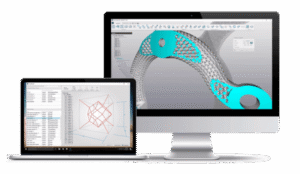
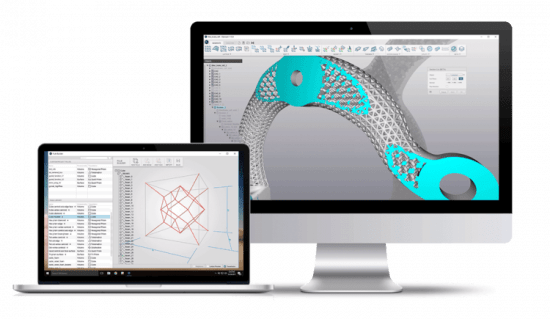
At the core of nTopology lies our implicit modeling engine. In implicit modeling, every solid body is described by a single mathematical equation. nTopology’s unbreakable geometry engine enables lightning-fast design iterations and eliminates design bottlenecks in advanced product development.
Take Complete Control of Your Design Workflows
There are no “black boxes”. nTopology gives you complete control over every aspect of your generative workflows, optimization processes, and their outputs.
Create reusable workflows that are tailored to the unique requirements of your application. Control designs at every point in space using simulation results, test data, engineering formulas, and Field-Driven Design.
Design Processes.
Not Just Parts.
Realize ROI beyond part performance. No one knows your process and your industry like you.
nTopology was built from the ground up to enable you to create custom applications that address your specific needs and transform the way you develop innovative products.
Make Changes in Real-Time with GPU Acceleration
With GPU acceleration, complex modeling operations that take minutes in other software become instantaneous in nTopology.
Enjoy real-time feedback and 10x to 100x performance increase with nTopology’s patent-pending hardware acceleration technology, saving days of design time.
System Requirements: Windows 10, 11
What's new
- We made minor spacing and chip outline polish for variable blocks.
Bug Fixes
- We fixed an issue in nTop Fluids where simulations on fluid and solid meshes with a degenerate coarse mesh level could silently produce incorrect velocity results instead of properly converging or diverging.
- We fixed an issue in nTop Fluids where density near certain mesh boundaries was calculated incorrectly during heat transfer simulations using wall functions.
- We fixed an issue in nTop Fluids where regions with boundary conditions were reported to fail during voxelization.
- We fixed an issue where the body would shift in the viewport when a block's Angle input field was selected while scrubbing.
Images